Zokie for Slack
Create tasks and ship code from Slack. Type one line, and Zokie on your computer picks the task up and starts working. Ask how it is going, tell it what to do next, and get the summary with the pull request in the same thread.

Before you start
- A Zokie account. Zokie is invite-only for now: ask for an invite.
- Zokie installed, open and signed in on your computer. That is where the agent does the work.
- A Slack workspace where you can add apps. Some workspaces need an admin to approve a new app first.
Set it up
- Add Zokie to your workspace. Press Add to Slack, pick your workspace and press Allow. Slack shows what Zokie may do: use the
/zokiecommand, post replies, hear messages that mention it, and read the direct messages you send it. - Link your Zokie account. In any channel, type
/zokie link. Only you see the reply. Open its link while signed in to zokie.dev. The link works once and expires after 15 minutes. - Start a task. Invite Zokie to a channel with
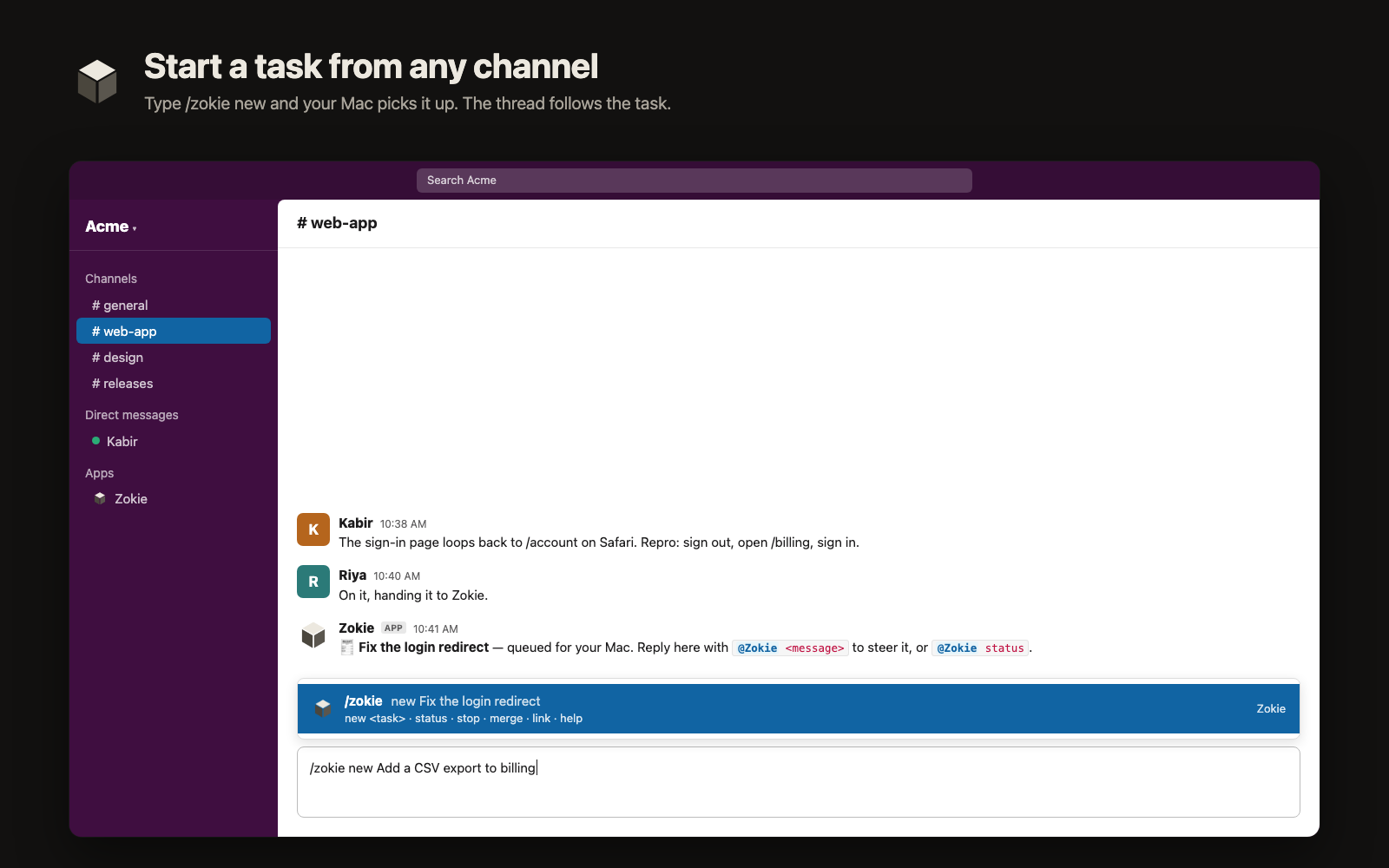
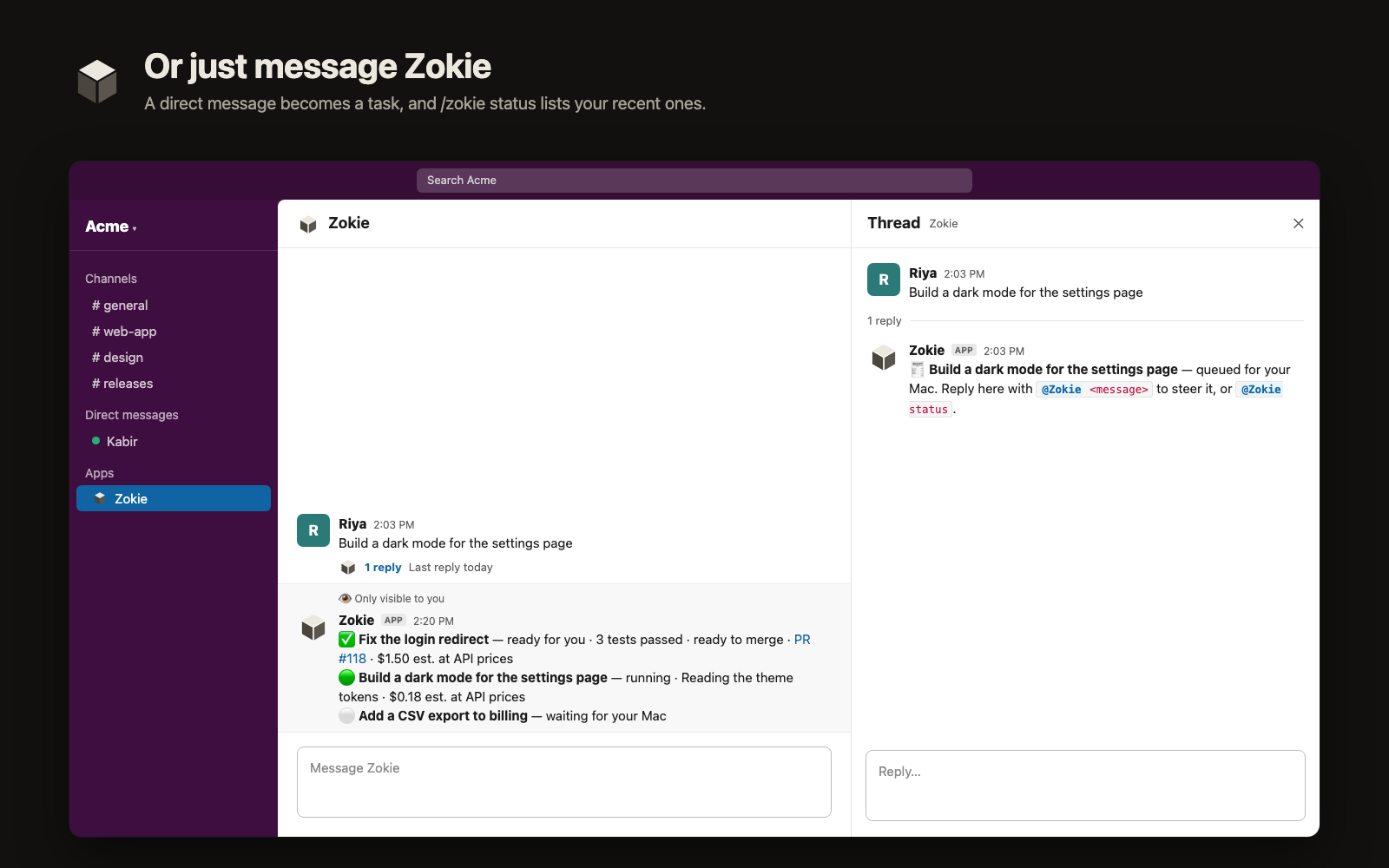
/invite @Zokie, then type/zokie new Fix the login redirect. You can also send Zokie a direct message with what to build. - Steer it in the thread. Reply under Zokie’s message with
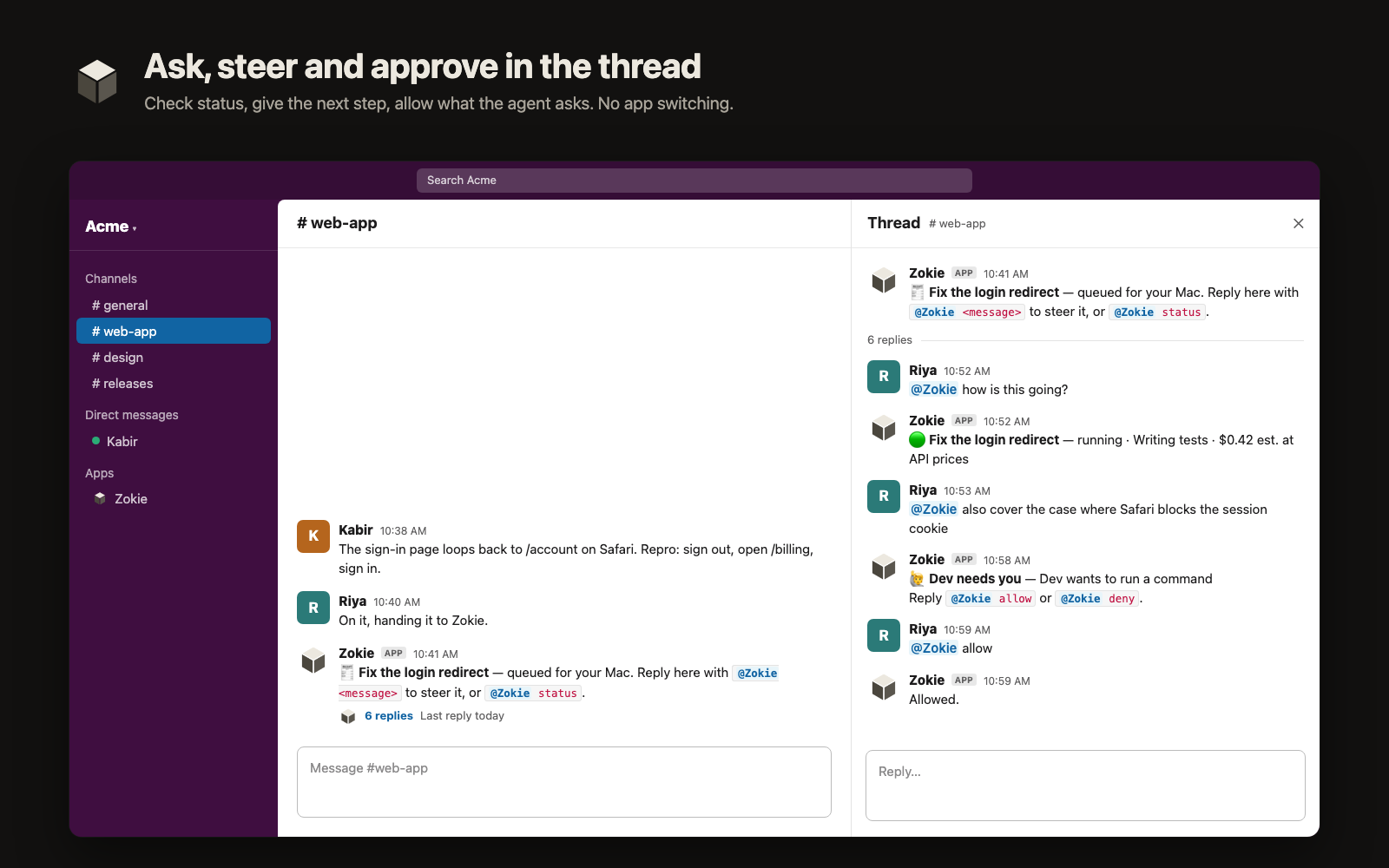
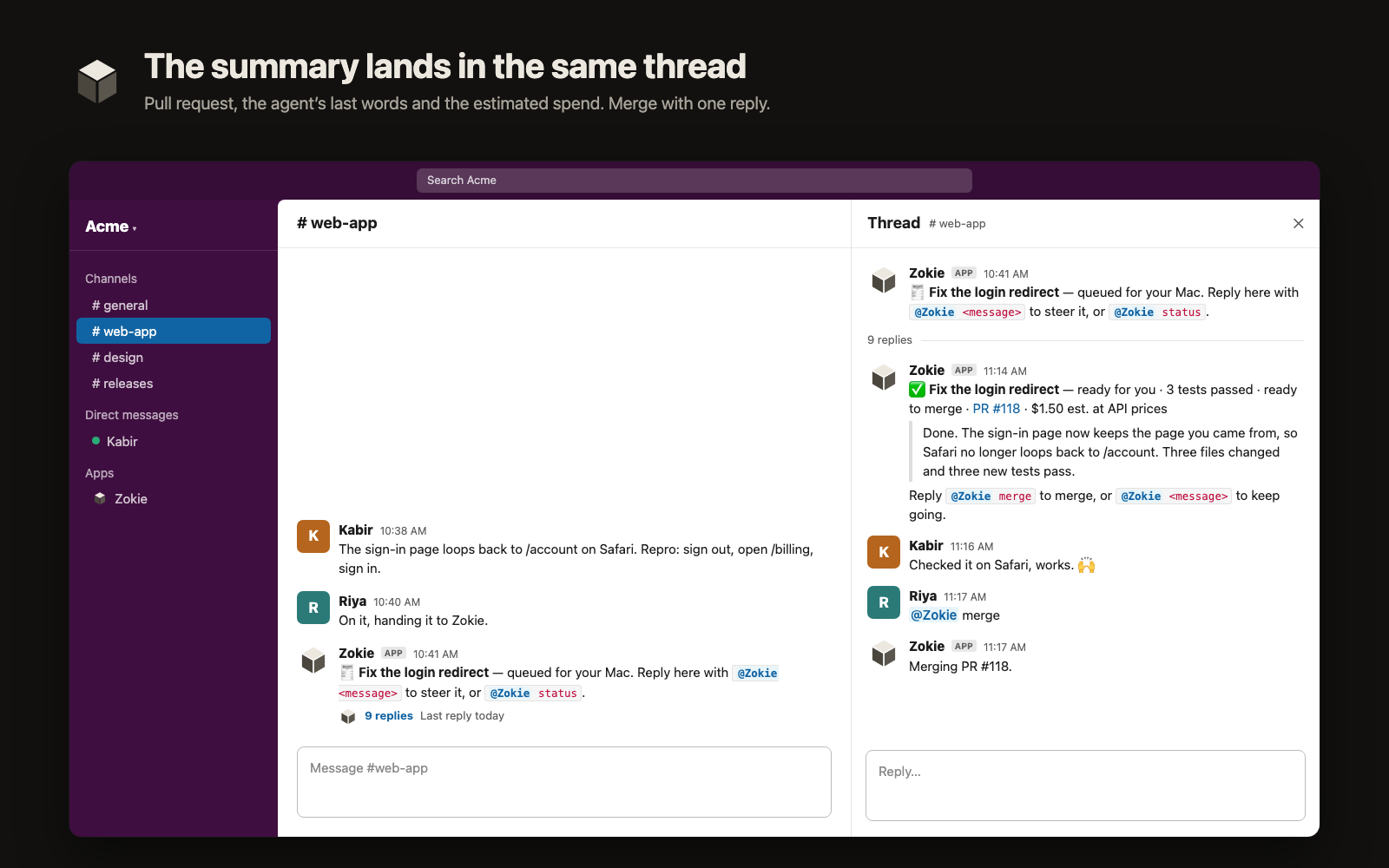
@Zokieand your next instruction, ask for its status, or allow what it asks for. - Get the summary. When the task is ready, Zokie posts the pull request, the agent’s last words and the estimated spend in the same thread. Reply
@Zokie mergeto merge it.
What it looks like
Commands
| Say | What happens |
|---|---|
/zokie new <what to build> | Starts a task. Zokie posts in the channel and that message's thread follows the task. |
/zokie status | Lists your last five tasks from Slack. Only you see it. |
/zokie link | Connects this Slack account to your Zokie account. |
/zokie help | Lists the commands. |
@Zokie <message> | In a task's thread: sends the agent your next instruction. |
@Zokie status | In a task's thread: what the agent is doing now. A plain question like “how is this going?” works too. |
@Zokie allow · @Zokie deny | In a task's thread: answers the agent when it asks permission to run something. |
@Zokie stop | In a task's thread: stops the agent. |
@Zokie merge | In a task's thread: merges the task's pull request. |
Only the person who started a task can steer it. Teammates in the thread can read along.
What Zokie sees in Slack
Zokie reads only messages that mention it and the direct messages you send it. It never asks Slack for your name, email address or profile. It keeps your Slack user and workspace IDs to know which Zokie account is yours, and where each task’s thread is.
Into your own thread, Zokie posts the task’s title and status, the pull request link, the estimated spend (at public API prices, not your bill) and up to 600 characters of the agent’s last message. Your code stays on your computer. The Privacy Policy has the details.
Remove it
Remove Zokie from your workspace in Slack under Settings & administration, then Manage apps. Zokie stops posting at once. To disconnect your Zokie account but keep the app in Slack, write to support.